With the Draw Text command you can add single lines of text anywhere inside the drawing area. Click on the  button and left click on the drawing area where you wish the text to appear and the following dialog will appear:
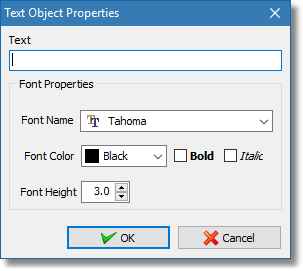
Text properties dialog
Use the Text Object Properties dialog to input the text you need to display as well as the font properties. Click OK to close the dialog and the text appears with the defined properties. You can left click again on the drawing area to add another text object or right click to stop the command.