Helper nodes are user defined points in the drawing area that can help build the slope geometry quickly and easier. While defining a drawing object (like a soil surface or a soil layer) the cursor can snap on the helper nodes and assist in the quick definition. Click on the  and move the mouse on the drawing area and close to the point you wish to define, left click and the following dialog will appear:
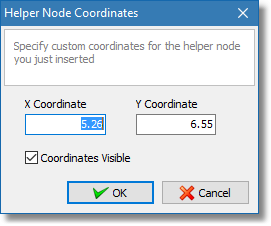
Helper node coordinates
In the dialog input the exact coordinates of the point you wish to define and click the OK button, the helper node will appear on the drawing area and the cursor is ready to define another node. To quit the input of helper nodes just right click anywhere on the drawing area.