A phreatic surface can be defined in the same manner as all the other objects, click on the  and define the phreatic surface object by clicking on the points that the polyline shape must pass.
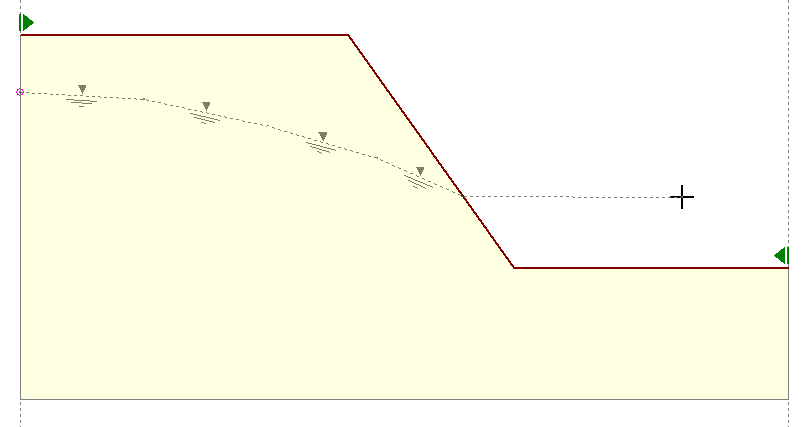
Defining phreatic surface
To accept the phreatic object just right click anywhere on the drawing area. The phreatic surface object will be displayed using the visual properties defined in the Visual Properties dialog. The parts of the phreatic surface that lay above the ground surface object will be considered submerged and will be shown with a hatched area.
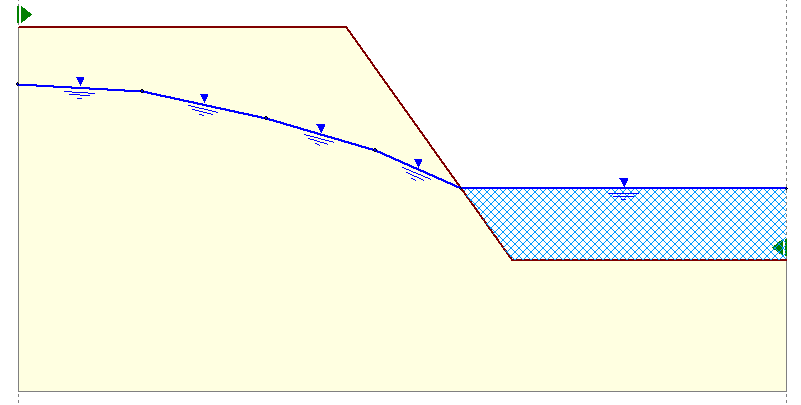
Phreatic surface above ground surface
Note Phreatic surface object can be defined only from left to right. If a point lays outside the slope boundaries the software will calculate the intersection point with the phreatic polyline and adjust as necessary. |