In this dialog you can set some parameters that will apply to the current project file, click on the  button and the following dialog will appear:
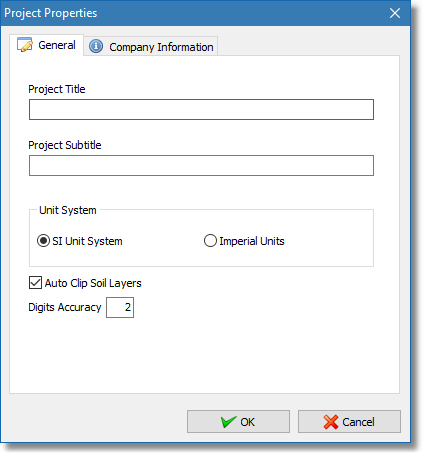
Project properties dialog
The dialog has two section, General and Company Information.
•General: In this section you can input a short description of your project and select the unit system you wish to use (by default the software will use the SI unit system). When the Auto Clip Soil Layers is check the software will try to clip any newly inserted (or modified) soil layer object inside the polygon that has the upper boundary set by the ground surface object, left and right boundary are set by the limits of the ground surface object and extends to infinity at the bottom. The Digits Accuracy is used to limit the floating point accuracy of the user defined objects and internal calculations. The default value (2) should be sufficient for most projects.
•Company Information: In this section you can input a description of your company (or personal data) along with a logo picture that will be visible at the header of the first report page.