Every geometric element is drawn on the paper scaled according to the scale value defined (default scale value is 1:50). A scale value of 1:50 means that 1 meter on the drawing paper represents 50 real meters (if the selected unit system is the SI). For example, the A4 page in landscape orientation has a real width of 0.297 meters, in 1:5 scale 0.297 meters will represent 14.85 meters.
The scale is important only to fit your current slope geometry inside the selected page. To see and change the current scale click on the  and the following dialog will appear:
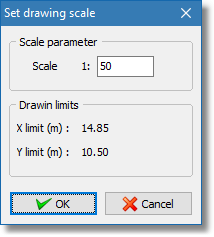
Scale dialog
The drawing limits represent the maximum coordinates inside the current page.
Clicking the OK button will apply the new scale and the software will also adjust the scale on any object that may exist.