A soil layer is defined by a closed irregular surface that is defined by clicking on points inside the drawing area. To add a new soil layer object click on the  button, the cursor will turn into a cross and you can begin defining the corners of the soil layer figure by left clicking on the drawing area.
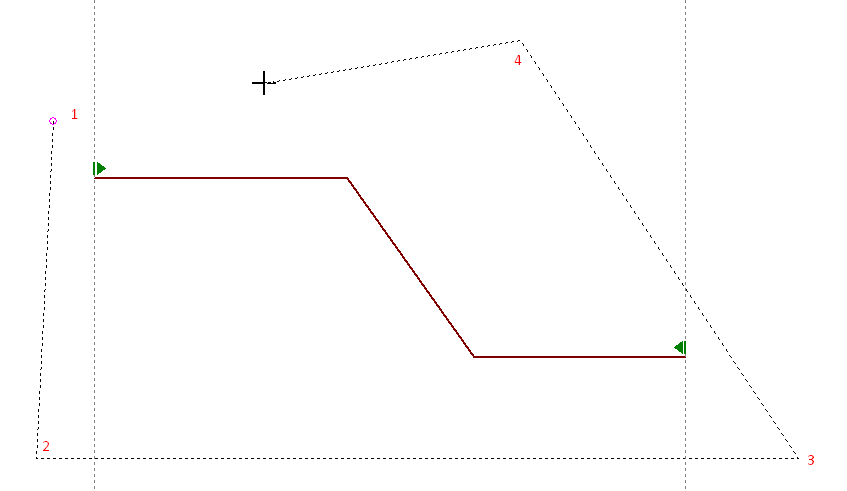
Defining a soil layer
To close the soil layer object you can either left click on the first point or simply right click on the drawing area. In case the Auto Clip Soil Layers feature is enabled then the soil layer object will be calculated as the difference between the ground surface object and the soil layer polyline.
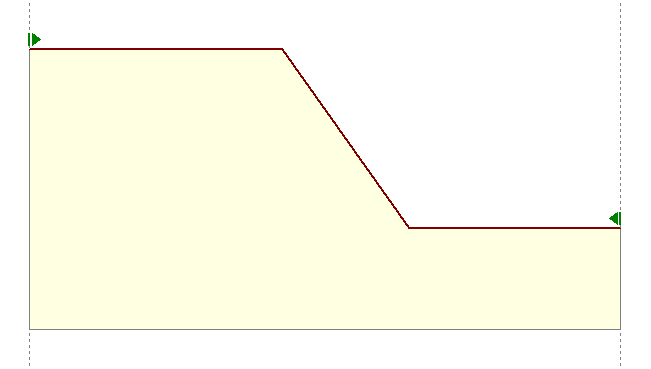
Auto clipped soil layer
Once you defined the soil layer objects you can assign the soil properties simply by right clicking inside the layer object and from the pop up menu that appears select the soil profile you wish to assign. To perform this operation you must first define your soil material profiles.

Assign soil layer material